
Download Screen Video Recorder – Free Screen Capture Tool for Windows & Mac
Screen Video Recorder is a lightweight, easy-to-use screen recording software designed for users who need to capture desktop activity, audio, and mouse movements in high quality. Whether you're creating tutorials, demonstrating software, or recording online meetings, this tool delivers a simple yet powerful solution. With support for AVI and WMV formats, it ensures compatibility across most devices and platforms.
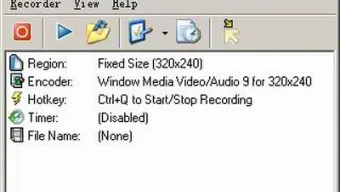
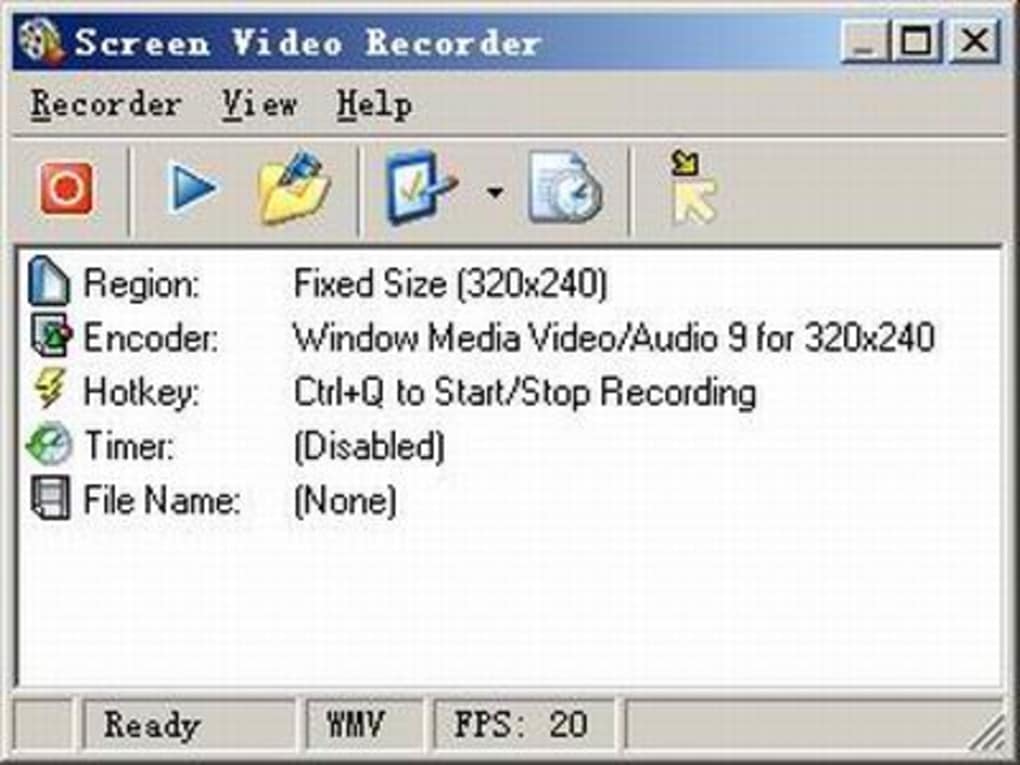
The intuitive interface focuses on core functionality—start, stop, and configure—making it ideal for beginners and professionals alike. Advanced features like webcam capture, audio source selection, and customizable hotkeys enhance usability. Available for Windows and Mac, Screen Video Recorder offers a free download with no hidden costs or trial limitations.
Keep your recordings secure, update regularly, and enjoy seamless performance across your system.
Key Features of Screen Video Recorder
Screen Video Recorder stands out in the crowded field of screen capture tools thanks to its minimalistic design and robust feature set. At its core, the software allows users to record full screen, specific windows, fixed regions, or custom-sized areas with precision. This flexibility makes it perfect for creating step-by-step guides, showcasing software features, or capturing gameplay. One of the standout aspects is the ability to record both system audio and microphone input, ensuring that voiceovers and narrations are captured clearly. The tool also supports webcam recording during screen captures—ideal for video tutorials or live chat sessions on platforms like Zoom, Skype, or AIM.
Another powerful feature is the customizable hotkey system. Users can assign a single key combination to start and stop recordings instantly, which is especially useful during live demonstrations. The addition of a pause/resume function gives users more control over long recordings, allowing them to skip over unnecessary sections without losing progress.
Performance has been significantly improved, with smoother screen capture and reduced system lag, even during high-resolution recordings. The audio source selector lets you choose between system audio, microphone, or both, giving you full control over sound quality. Additionally, Screen Video Recorder now captures cursor shape changes—important for tutorials where visual cues matter.
For those using external video sources, the software supports input from TV cards, DVDs, and other video devices, making it a versatile tool beyond just screen recording. All recordings are saved in AVI or WMV formats, which, while not the most compressed, ensure high-quality playback and compatibility with most media players. With regular updates and a commitment to user feedback, Screen Video Recorder continues to evolve while maintaining its core promise: simplicity without compromise.
How to Install and Use Screen Video Recorder
Getting started with Screen Video Recorder is straightforward and requires minimal technical knowledge. First, visit the official website and download the free version compatible with your operating system—Windows or Mac. The installer is lightweight, typically under 10MB, and completes in under a minute. Once installed, launch the application. You’ll be greeted by a clean, minimal interface with a central recording control panel and a few configuration options.
To begin recording, select your desired capture mode from the five available: Full Screen, Window, Random Region, Fixed Size, or Fixed Region. Each option allows you to define the area precisely. Next, configure audio settings by choosing your preferred input source—system audio, microphone, or both.
You can also set a recording timer if you want to automate the process. Assign a hotkey (e.g., Ctrl+Shift+R) to start and stop recordings instantly. This is especially useful during live demos or when multitasking.
Once everything is set, click the “Start” button or press your assigned hotkey. The recording begins immediately, and a small overlay displays the current recording time. To stop, click “Stop” or use the hotkey again.
The file is automatically saved to your chosen folder in AVI or WMV format. For advanced users, the pause/resume function allows you to temporarily halt recording without losing data. After recording, you can preview the video, edit it with basic tools (if available), or share it directly via email or cloud storage.
The entire process—from installation to export—takes less than five minutes, making it one of the fastest screen recording solutions available.
Compatibility & System Requirements
Screen Video Recorder is designed to run smoothly on both Windows and Mac operating systems. For Windows users, it supports Windows 7, 8, 10, and 11 (32-bit and 64-bit versions). Mac users can install it on macOS 10.12 or later, including the latest Apple Silicon (M1/M2) chips. The software is optimized for low CPU usage, ensuring that your system remains responsive during long recordings, whether you're working on a laptop or desktop.
Hardware requirements are modest. A modern processor (Intel Core i3 or equivalent), 2GB of RAM, and 50MB of free disk space are sufficient. For high-quality video capture, a graphics card that supports hardware acceleration is recommended but not mandatory. The software works with standard webcams and external video inputs like TV tuners and DVD players, making it a great choice for educators, content creators, and remote support teams.
It’s important to note that while AVI and WMV formats are widely supported, they can result in larger file sizes. For users concerned about storage, consider compressing files after recording using free tools like HandBrake. Regular updates are released to improve compatibility with new OS versions and fix bugs. The developers maintain a strong focus on security, ensuring the software is free from malware and adware. With no trial limitations, users can access all features immediately upon download.
Pros and Cons of Screen Video Recorder
- Pros:
- Simple, intuitive interface ideal for beginners
- Free to download and use with no time limits
- Supports multiple capture modes: full screen, window, region
- Records audio from system and microphone
- Customizable hotkeys for instant start/stop
- Pause/resume function for longer recordings
- Can capture webcam and external video sources
- Regular updates with performance improvements
- Secure, ad-free, and lightweight
- Cons:
- Only saves in AVI and WMV formats (larger file sizes)
- No built-in video editing tools
- Limited customization for video codecs
- Doesn’t support MP4 or other modern formats natively
- Basic interface may feel too minimal for advanced users
Frequently Asked Questions (FAQ)
Is Screen Video Recorder free to download?
Yes, Screen Video Recorder is completely free to download and use. There are no trial periods, hidden fees, or watermarks on recorded videos. The software is available for both Windows and Mac users with no restrictions.
What formats does Screen Video Recorder support?
Screen Video Recorder saves recordings in AVI and WMV formats. These are widely supported across most media players and devices, though they tend to produce larger file sizes compared to MP4.
Can I record my webcam while capturing the screen?
Yes, the software supports webcam recording during screen captures. This is perfect for creating video tutorials, live demonstrations, or chat recordings with visual cues.
Does it work on Mac and Windows?
Yes, Screen Video Recorder is compatible with both Windows (7/8/10/11) and Mac (macOS 10.12 and later), including Apple Silicon (M1/M2) Macs.
How do I start and stop recording?
You can start and stop recordings using the “Start” and “Stop” buttons in the interface or by assigning a custom hotkey (e.g., Ctrl+Shift+R). The pause/resume function is also available for uninterrupted long sessions.
Conclusion: Why You Should Download Screen Video Recorder Today
Screen Video Recorder delivers exactly what it promises: a simple, secure, and effective way to capture screen activity, audio, and mouse movements. Its minimal interface removes the complexity found in many competing tools, making it accessible to users of all skill levels. Whether you're a teacher creating lesson videos, a developer documenting software, or a remote support agent helping clients, this tool streamlines the recording process without sacrificing quality.
While it doesn’t support MP4 or other modern formats, the AVI and WMV outputs ensure broad compatibility. The addition of webcam support, audio source selection, and pause/resume functionality makes it more than just a basic recorder. With regular updates and a commitment to user experience, Screen Video Recorder remains a top choice for free screen recording software.
Ready to create professional-quality tutorials or demos? Download Screen Video Recorder today for free and start recording with confidence.







